
Table of Contents
Available Lab Procedures
The "Available Lab Procedures” tab displays all the Lab Procedures that can be conducted by the lab. In this tab, users can view the Name, Code, Sample Type, TAT, Price, and Status of the procedures that have already been added. Additionally, users can add new Procedures.
Procedures added in this tab are specific to each lab and can be selected when requesting a procedure in the Patient tab. Each lab must individually add the required procedures, even if multiple labs perform the same procedure.
Adding Available Procedures
Located at the top-left corner, you'll find the aptly named "Add a new Lab procedure" button.
This button will allow you to create a new Lab procedure specifically for the current Lab.
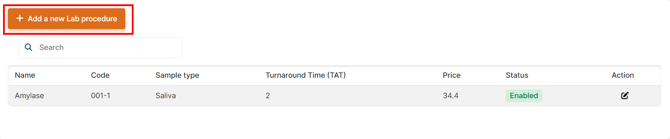
Upon clicking the "Add a new Lab procedure" button, a form will appear with several fields that need to be filled out with relevant information.

- Name - Searchable dropdown selector with a list of Possible Lab Procedures
- Code - Procedure Code
- Sample Type - Searchable dropdown with options of Sample Types
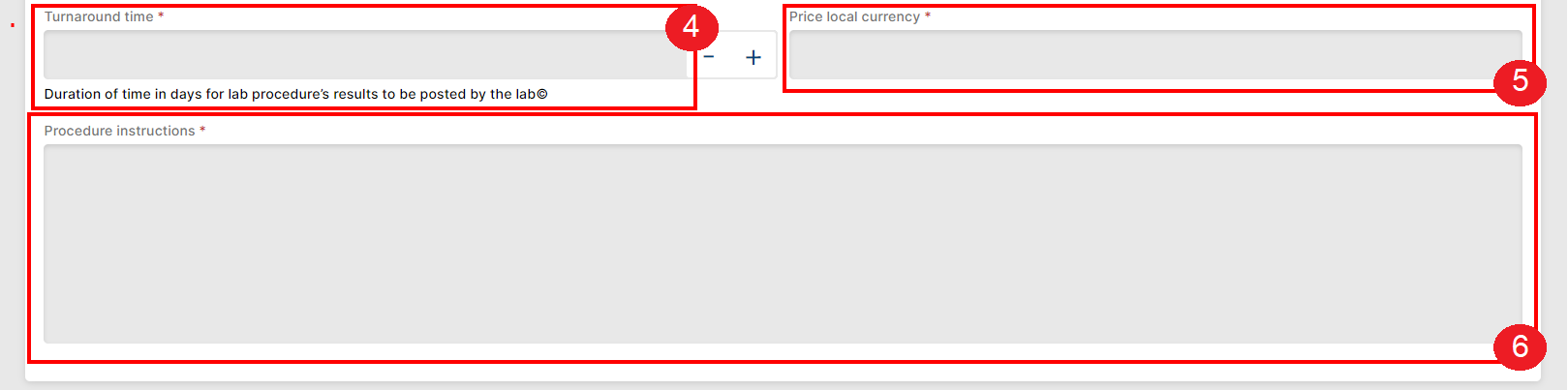
- Turnaround Time (TAT) - The maximum number of days as per agreement with Axios and/or regulatory bodies after which a Lab should provide the results of the procedure.
- Price in Local Currency
- Procedure Instructions

- Duplicate Search - Checks for duplicates with the following field name, code, sample type
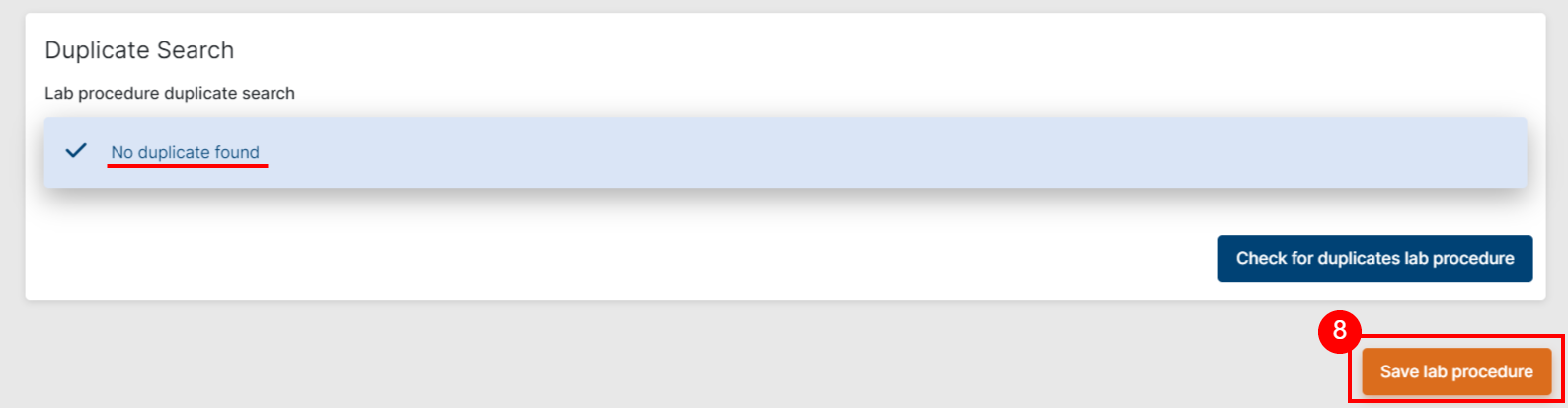
- Save
After saving, the entity gets a status field (enabled/disabled, default is enabled). Available procedures can be disabled/enabled, like program indications and prescriptions. 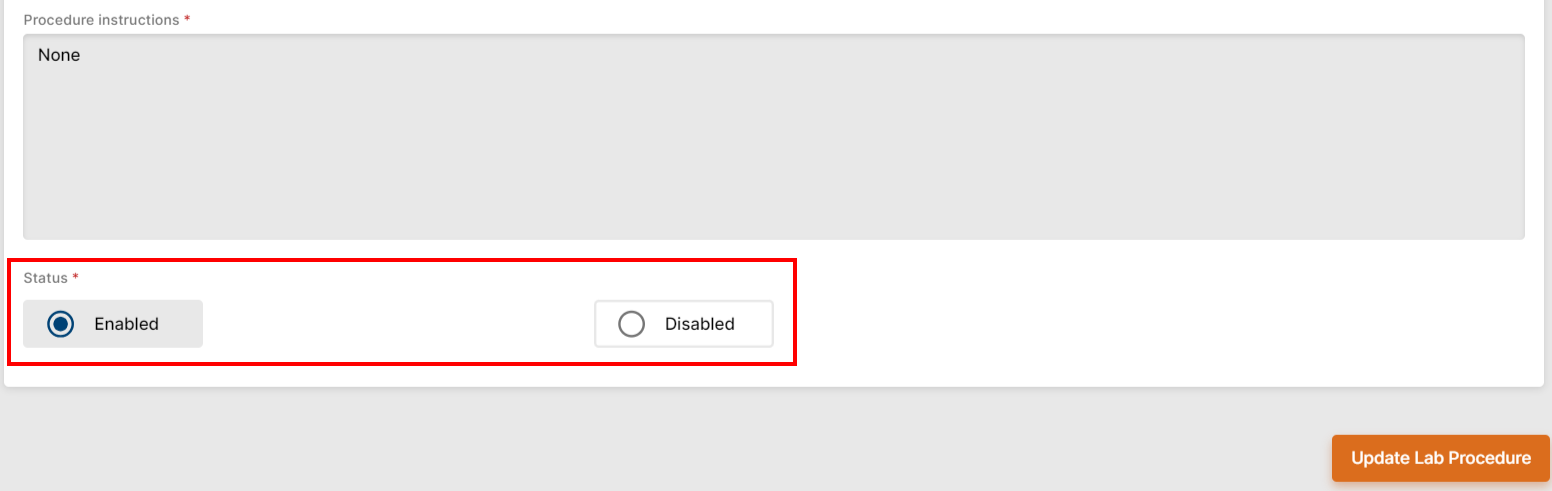
 IMPORTANT
Once a lab procedure has been linked to a lab procedure request, it cannot be deleted from the system. This is because deleting a procedure that has been requested would result in the loss of important data.
Therefore, it is important to carefully consider and review the procedures before adding them to the Lab's Available Procedures. By doing so, you can ensure that unnecessary procedures are not added, reducing the chances of needing to delete them in the future.
Lab Procedure Statuses
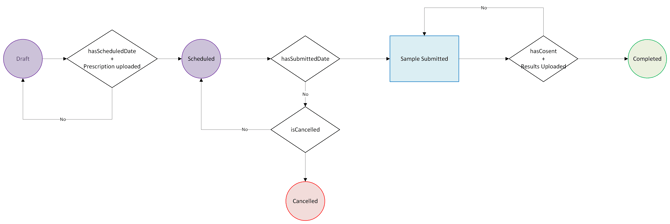
Draft - The Lab Procedure has not been coordinated, but preliminary preparations (such doc upload) are being carried out
- Trigger - Saving a Procedure request without a "Scheduled Date and Time" assigned
- Trigger #2 - Saving a Procedure request without uploading a document of type Prescription first
Scheduled – The Lab Procedure has been coordinated by Axios with the relevant Lab and is created on PMS.
- Trigger - Initial Procedure information has been recorded in the Patient's file on PMS and made sure to save it.
Sample Submitted – The Lab has received/collected the sample. The Procedure has a Due Date that is equal to the Submitted Date + Turnaround Time.
- Trigger - The Sample Submission date has been saved.
Completed – The Lab Procedure has been carried out, this status is triggered when the consent + results docs have been uploaded and the Procedure has been marked as Completed.
- Trigger - A document of type “Procedure Results” and one of type “Consent" must be uploaded
Cancelled – The Lab Procedure has been cancelled, this status is triggered when the Procedure is cancelled by Axios with the reason provided.
 Going Further
Learn more about Labs in the Lab Creation & Management article.