
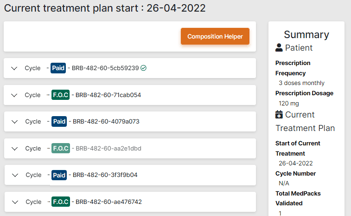
Sometimes, cycle numbers will not display in the Patient > Medicine tab. This could be due to several factors, especially if the treatment plan was not automatically allocated.
To solve this, follow the simple steps below:
-
Go to Patient > Treatment Plan, set the start of treatment date 1 day earlier, and save.
-
Set the start of treatment date back to the correct date, and save again.
-
Go to Patient > Medicine. The cycle numbers should now show.
 Going Further
Learn more about treatment management in the Manage a Patient’s treatment plan article.