
Table of Contents
Requesting a new lab procedure
Requesting a new lab procedure

To get started, under the "Lab Procedures Request" tab, click the orange button at the top of the page.

Upon clicking the "Add a new procedure request" button, a form will appear with several fields that need to be filled out with relevant information.
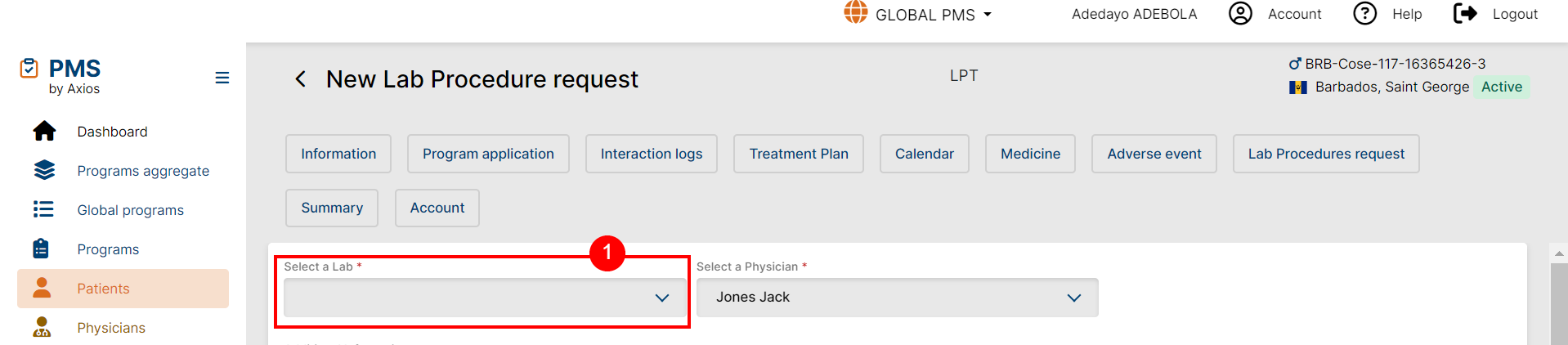
- “Select a Lab” - A searchable dropdown which lists all labs in the Program country

- “Select a procedure” dropdown - Searchable list of enabled "Available Lab Procedures" added for the selected Lab entity via "Add a new Lab procedure".
- Physician - The default selection is the physician who is currently treating the patient. However, this can be edited if necessary.
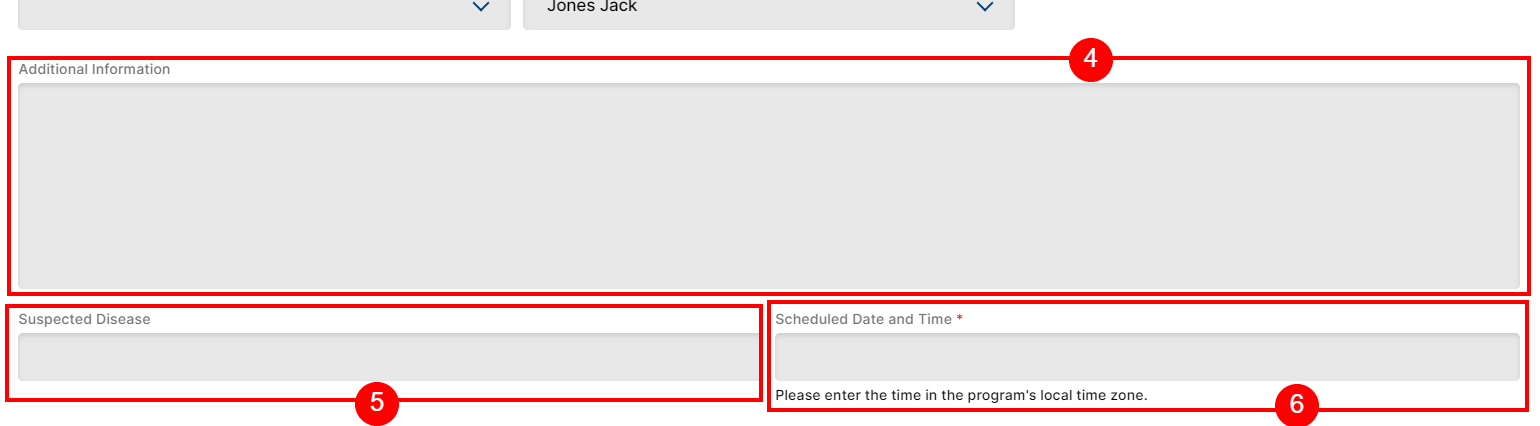
- “Additional Information” - Optional.
- “Suspected Disease” - Optional
- “Scheduled Date and Time” - A date field and time selector allowing for dates up to 6 months in the past or future.

- Due date - The due date shown is calculated by adding the scheduled date and time to the turnaround time (TAT). Unfortunately, it's generated automatically and cannot be changed. However, if you modify the scheduled time, the system will recalculate the due date for you.
Note: the sample submission block only displays if the Due Date has not passed.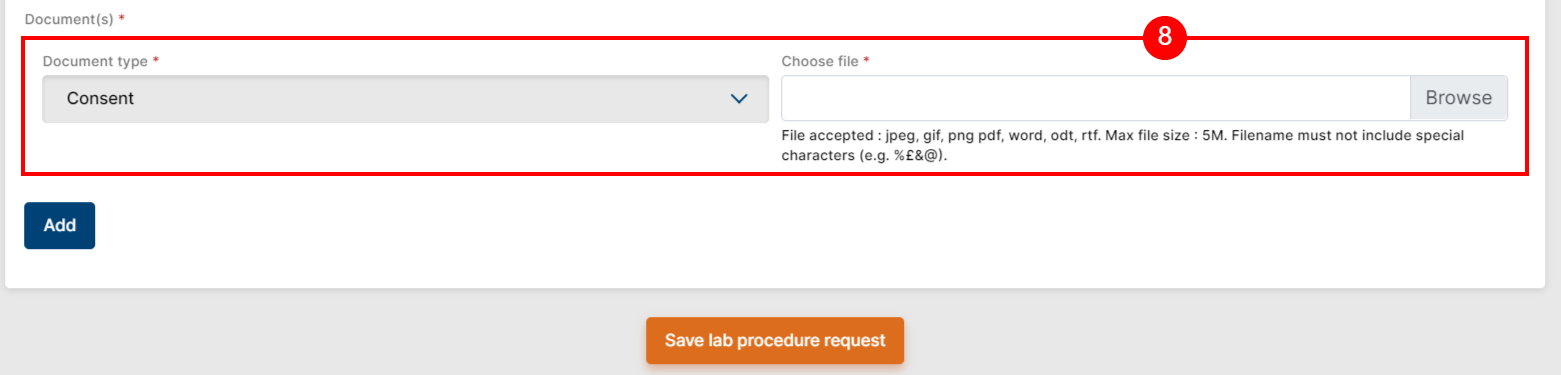
- Document upload - To save the lab procedure request, it is necessary to upload at least one document of the "Prescription" type. Prior to this you can save the procedure as Draft to save progress and return later.
- Save
Upon saving, the Procedure request is assigned an automatic Procedure code as well as the "Scheduled" Status.
Sample Submission

After a Procedure is marked as "Scheduled", a new block will appear allowing for a "sample selection" date entry. This is necessary to complete the Procedure. The sample selection date refers to the date when the patient's sample, such as blood or urine, will be collected for testing. This step is crucial as it enables the laboratory to perform the necessary tests and analysis required for the Procedure.
To select the sample selection date, simply click on the designated field and choose the desired date from the calendar. It's important to ensure that the selected date is convenient for both the patient and the laboratory, as it will determine when the sample will be collected.
Once the sample selection date is entered, the laboratory will be notified and make the necessary arrangements to collect the sample on the specified date. It's crucial to note that the sample selection date should be chosen carefully, considering factors such as the patient's availability and any fasting or preparation requirements for specific tests.
 Going Further
Learn more about Labs in the Lab Creation & Management and in the Lab Procedures articles.