
Page 1
Page 2
Page 3
Key
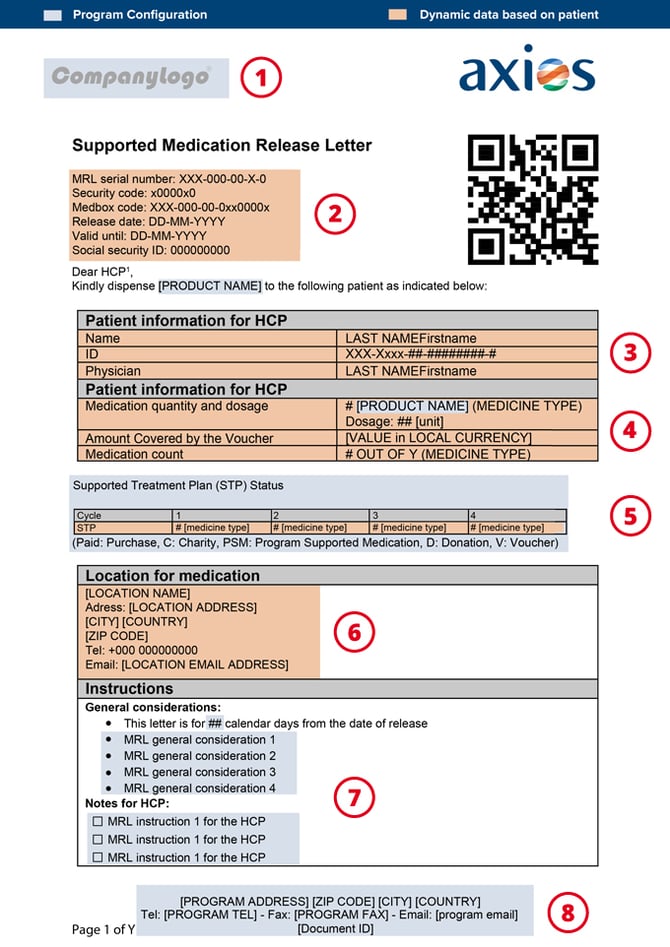
- Program Logo to be setup in the Program Settings > Program Information tab
- Will be generated by the PMS using Patient Information at MRL/Voucher creation. The patient's Social Security number would display as the last item, if filled in the PMS
- The MRL can be anonymized by activating "Documents should be anonymous" in the Program Settings > MRL/Voucher tab
- Amount will appear only if this is a Voucher and if "Display voucher amount on Voucher document and on the apps" is selected under the Program Settings > MRL/Voucher tab
- Shown or hidden selecting "Show patient's STP on MRL / Voucher" option under the Program Settings > MRL/Voucher tab
- Location information based on the Health Center information entered in the PMS
- Customizable in the "Content" sections (one for MRL, one for Voucher) under the Program Settings > MRL/Voucher tab
- Program information based on contact information entered under the Program Settings > Program Information tab
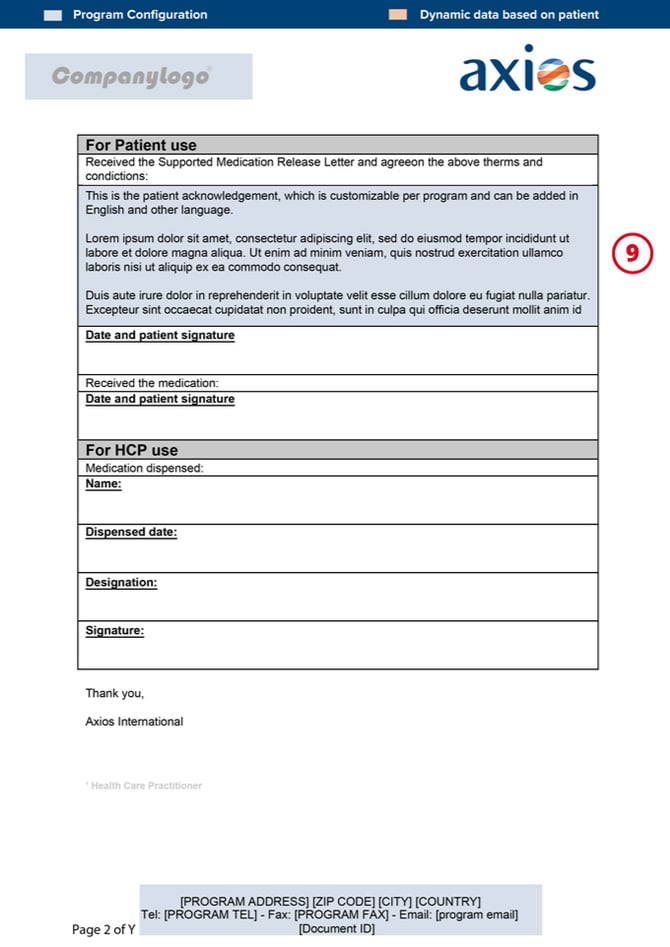
- Customizable in the "Patient Acknowledgement" section under the Program Settings > MRL/Voucher tab
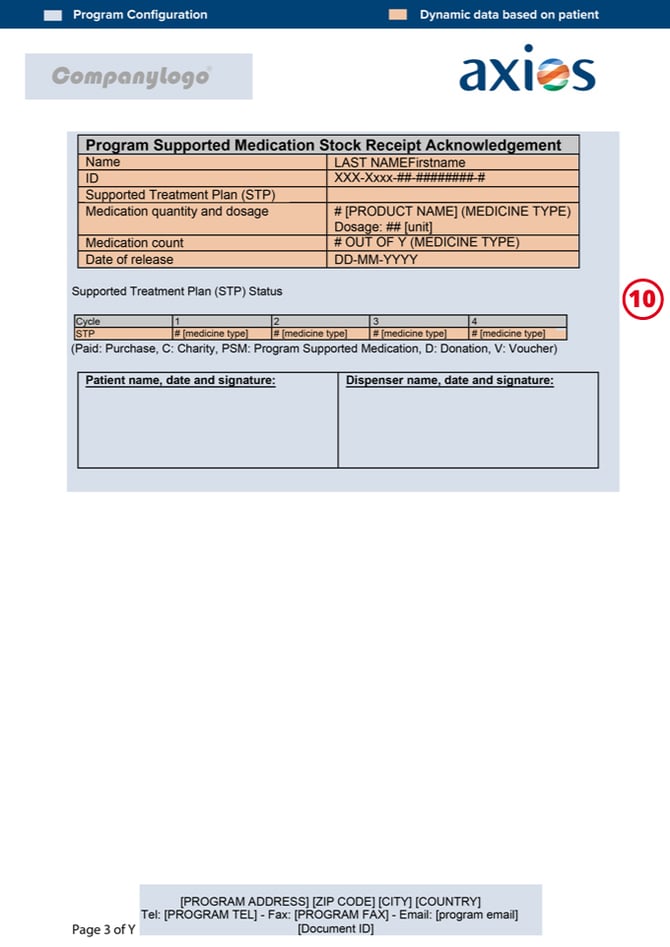
- Shown or hidden selecting the "Display stock receipt acknowledgement for pharmacy on MRL / Voucher" option under the Program Settings > MRL/Voucher tab
Going Further
 To learn more on how to parameter the settings of a Local Program, please check the Local Program Configuration article.