
Welcome to MyHealth!
-
Upon successful login, patients will have access to a multitude of features: view and manage their treatment, follow the application journey and provide relevant documents, learn more about their program or disease, or contact Axios program staff for any queries.
-
The Contact Us section is a one-way communication channel using the device’s phone or email client, directly with the program staff.
-
For compliance reasons, all interactions with patients are recorded in Axios PMS.
 IMPORTANT
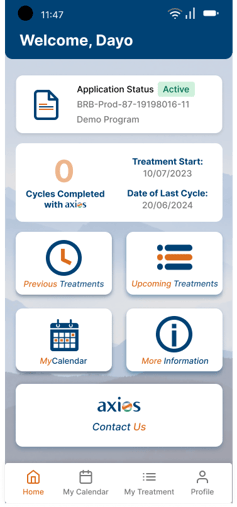
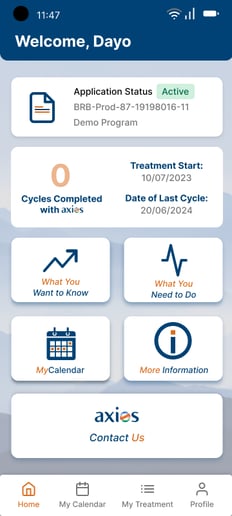
Depending on your Program Services, patient will either see Access or Adherence options on their main menu
| Access main menu | Adherence main menu |
 |
 |
Navigation
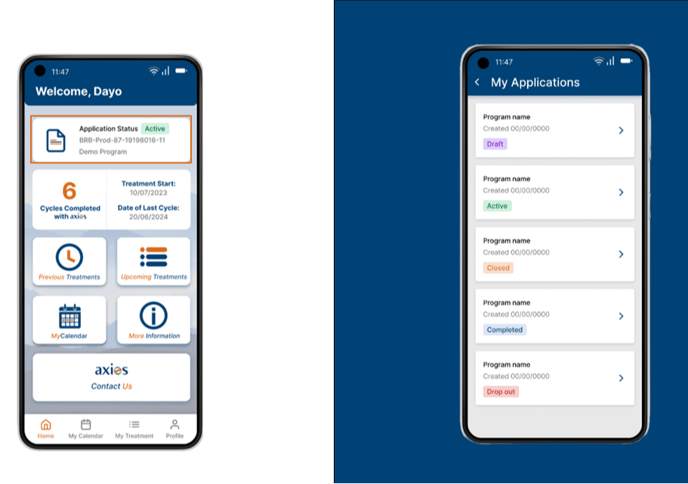
MyApplication
My Applications tab is where patients are able to view and participate actively in the application process. In this section, all applications are visible, and categorized between active treatments, and past applications that were closed, completed, or from which the patient dropped out.
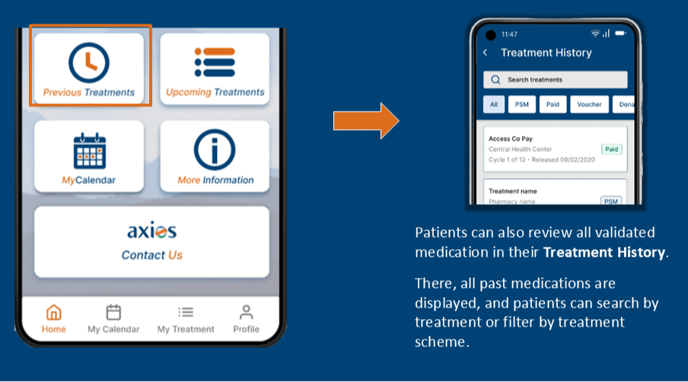
Previous Treatments
Patients can also review all validated medication in their Treatment History. There, all past medications are displayed, and patients can search by treatment or filter by treatment scheme.
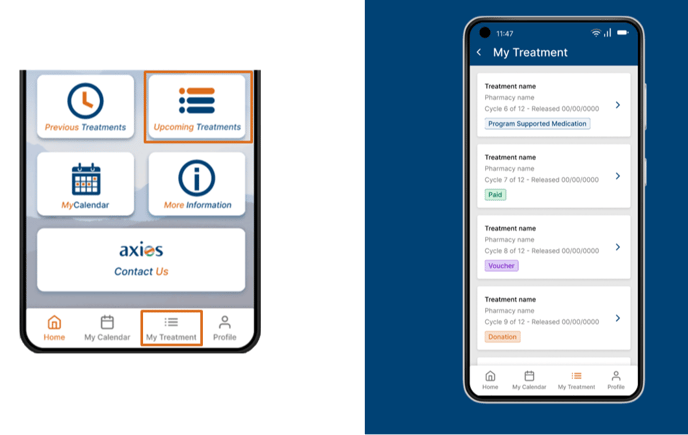
MyTreatments
Patients can view all upcoming medication releases in the My Treatment tab. Depending on their treatment plan and scheme, various cards will display with information like the treatment name, the health center where they can receive the treatment, the date of release, and the scheme.
Treatment schemes are either Paid, Program Supported Medication, Voucher, Donation or Charity medications. Each card will be released by Axios staff, in due time, through the PMS.
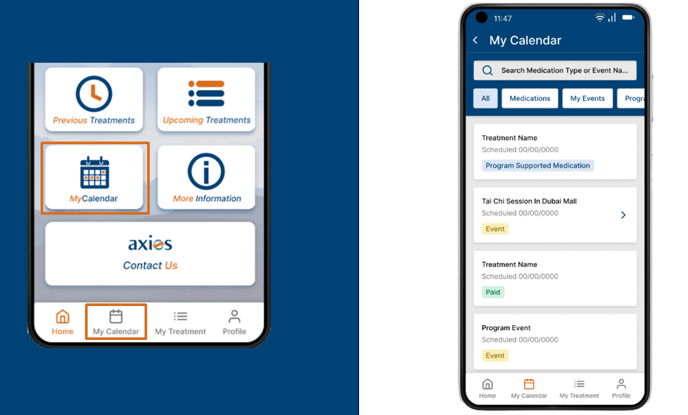
MyCalendar
Patients can report medicine intake to monitor compliance. Furthermore, MyCalendar centralizes their entire journey in the program. Through the program team, patients can request the coordination of physical or virtual consultations with their treating physician or a nurse, or medication deliveries.
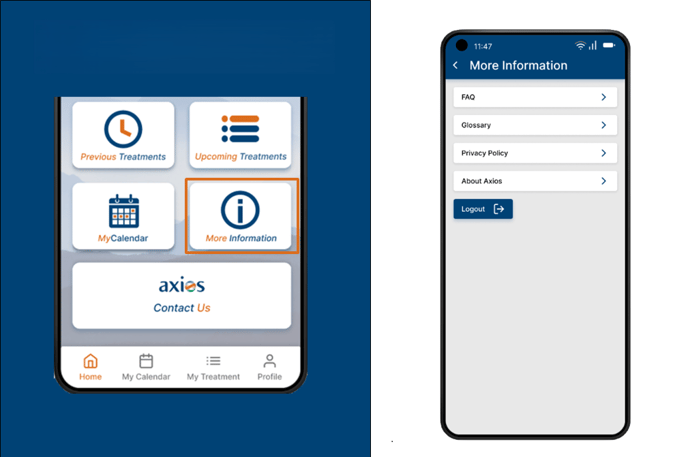
More Information
Patients can also learn more about the program, their disease or Axios in the More Information section. They can also choose to log out of the application, or change the language of the app (English, Arabic and Thai available).
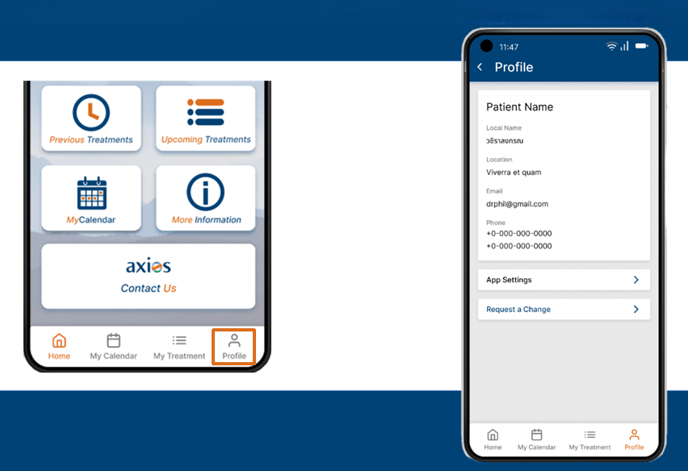
Profile
Patients can view their Profile and verify their information is accurate. Should they want to update their information with Axios, they can Request a Change.
To comply with rules and regulations, this is a one-way communication channel using the device’s phone or email client. Additionally, they can change their selected Easy Login method
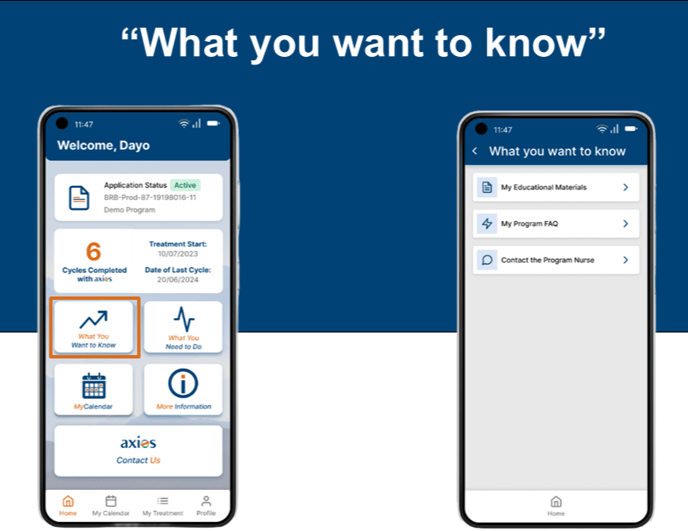
What you want to know
The "What you want to know tab (Formerly MyDsease) is where patients can find additional information on their condition and treatment.
This section is categorized into Materials, FAQs, Calendar and Contact, so any information the patient requires is available at the touch of a button.
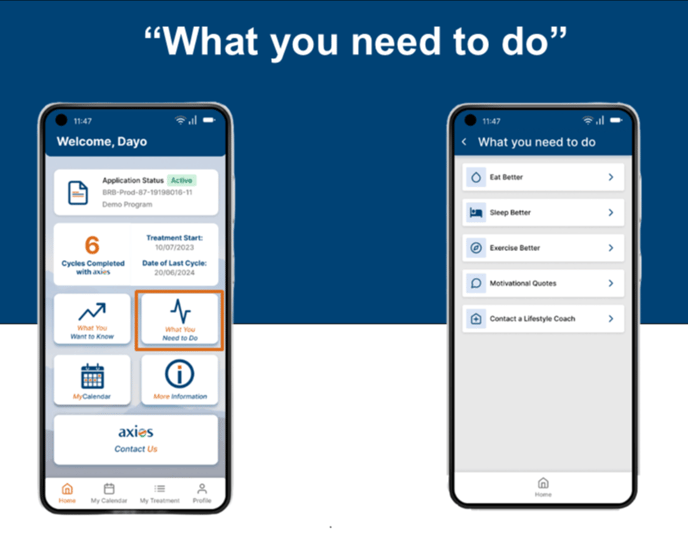
What you need to do
The “What you need to do” is a lifestyle section full of mini articles presented to the patient to support their treatment and overall wellbeing.
 Going Further
Learn more about the MyHealth application by checking our dedicated articles: