
Table of Contents
What is a Standard Treatment Plan?
Treatment Days (T), Rest Days (R), Treatment Duration and Scheduled Date of Cycle
Treatment and Overall Reported Compliance
What is a Standard Treatment Plan?
It's a plan shared with the Patient that clarifies the total number of packs which will be provided as support through the Program and the total number of packs which need to be purchased by the Patient based on their affordability assessment. The plan usually covers full treatment plan or 12 months.
Treatment Days (T), Rest Days (R), Treatment Duration and Scheduled Date of Cycle
A cycle consists of days, split between the Treatment Days (T, patient takes a dose), and Rest Days (R, the time between 2 doses)
Treatment Days (T) and Rest Days (R)
T is the number of treatment days (days when patient takes a dose), R is the number of rest days (when no dose is taken).
Example: for a cycle of 28 days (1 month)
• If dose is taken once monthly, then T= 1 and R = 27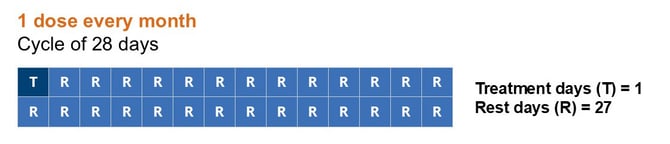
• If dose is taken once every day, then T = 27 and R = 0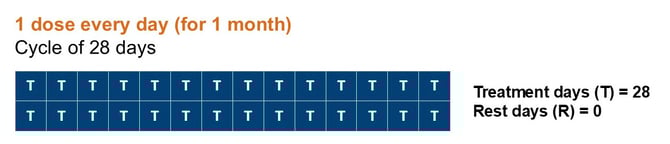
Treatment Days (T), Rest Days (R) and Delay (D) are used in the calculation of the Duration of Treamtnent (DoT).
Duration of Treatment
Important: This calculation is only done with validated MedPacks, and the result is provided in days.
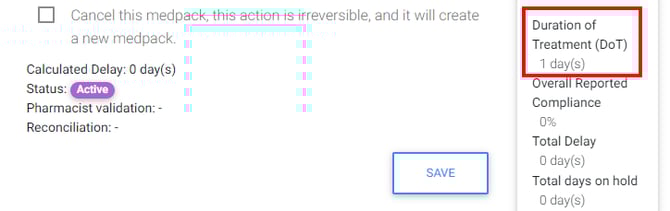
For Duration of Treatment (DoT), or how long a patient has been on treatment:
DoT = Diff([AdminDate (LastValidatedCycle)] & [AdminDate (FirstValidatedCycleWithAxios)]) + T(LastValidatedCycle) + R(LastValidatedCycle) + D(LastValidatedCycle)
-
where D = Delay Days
-
where T = Treatment Days
-
where R = Rest Days
If T and R on Treatment Plan do not match Actual T and R, then T and R in formula = 0
In plain English, the Duration of Treatment (DoT) is the end date of the last cycle in the treatment plan, including the rest perdio, minus the start date of the first cycle.
Average cycle duration
Using D, T, and R, we can also compute the Average Cycle Duration as follows:
- Duration of a cycle = D+T+R
- Average Duration of a Cycle = [Sum(D)+Sum(T)+Sum(R)]/Total number of cycles
Treatment Delay (D)
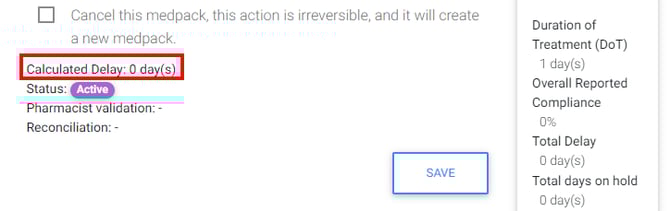
The Treatment Delay is the difference, in days, between the Scheduled Date of treatment and the earliest administration date of all MedPacks in a cycle. By default, the value is zero and can only be a positive value. If any value is missing, the delay is equal to zero.
When there are multiple MedPacks with different administration dates, the delay is calculated between the Scheduled date and the earliest Admin Date of all MedPacks in that cycle, e.g.:
If Scheduled is 01/01/2021 and Admin is 03/01/2021, Treatment Delay is +2
This value is calculated after a MedPack with an update on the Admin Date is saved. If the Start Date of Treatment is modified, all delays from all cycles are recalculated.
Impact on Follow-ups
Automated follow-ups received in your dashboard are configured at program level and are set according to a chosen interval of days before each cycle. This interval is based on the scheduled date of administration.
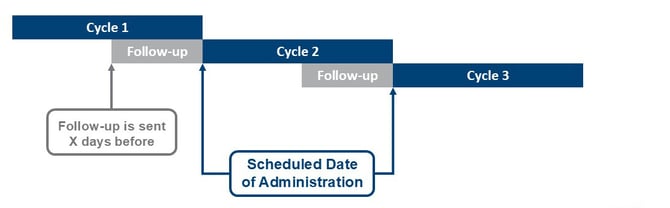
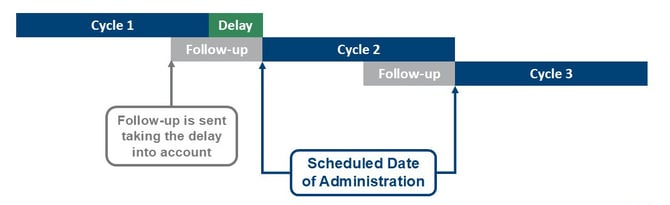
A delay will be taken into account if one exists when the previous cycle is validated, this will push back the follow-up in time accordingly.
However, if previous cycle is not validated, the follow-up will be sent at the original scheduled date, ignoring a potential delay for this cycle. 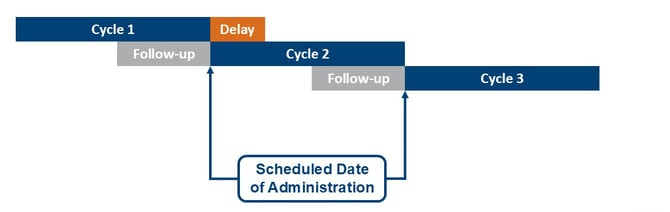
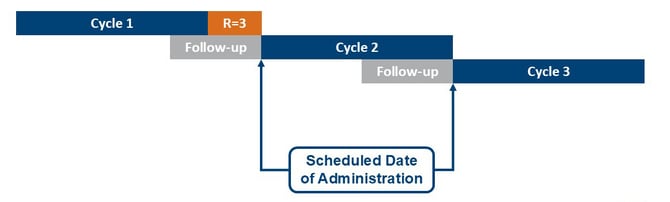
To deal with this situation you need to whether validate the previous cycle, or manually change the rest days in the TP to take account of the delay.
Treatment and Overall Reported Compliance
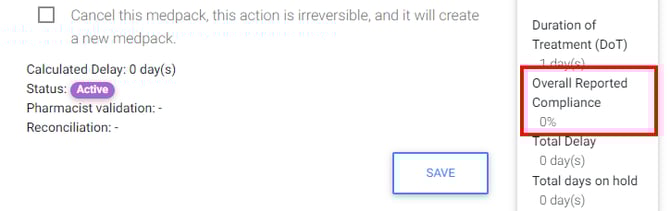
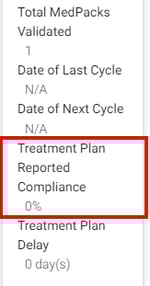
The compliance rate of a patient is measuring how accurately the patient has taken the medication compared to the treatment plan originally allocated to them. Each patient is allocated a Treatment Plan Template (TPTemplate) upon enrollment.
The Compliance Rate measures the % matching between what was originally allocated and reality. By default, the cycle compliance rate is null.
The value is displayed as a percentage with 2 decimal points and rounded up. This applies to all compliance displays. To calculate the compliance rate per cycle, we first need the absolute value of the delta between theoretical and actual duration of a cycle:
DeltaDuration = Absolut(([Cycle Template(T) + Cycle Template (R)]) - ([Actual(T) + Actual(R) + Actual(D)]))
Compliance Types
For each cycle, we need to define the Compliance Type, which determines whether the cycle is over or under-compliant.
-
An over compliant cycle is a cycle where the patient took less time than expected to complete the cycle.
-
Diff([Cycle Template(T) + Cycle Template (R)] & [Actual(T) + Actual(R) + Actual(D)] > 0
-
-
An under compliant cycle is a cycle where the patient took more time than expected.
-
Diff([Cycle Template(T) + Cycle Template (R)] & [Actual(T) + Actual(R) + Actual(D)] < 0
-
We can then calculate the compliance rate per cycle:
Cycle Reported Compliance Rate = (([Cycle Template(T) + Cycle Template (R)] – DeltaDuration) / [Cycle Template(T) + Cycle Template (R)]) * 100
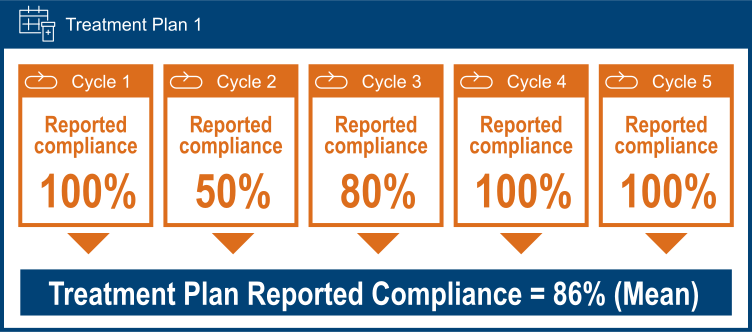
The Treatment Plan Reported Compliance Rate is the average of all Cycle Reported Compliance rates.
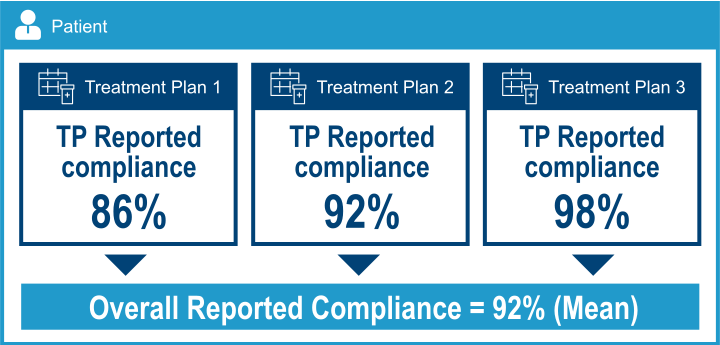
The Overall Reported Compliance Rate is the average of all Treatment Plan Reported Compliance rates.
 Going Further
Learn how to configure a Treatment Plan at program level in the Treatment Configuration article.
Learn how to manage a Patient's Treatment Plan in our Manage a Patient’s treatment plan article.