
Table of Contents
Viewing all referred Patients by a Physician
Managing Physician Interaction Logs
Creating a Physician
-
Navigate to Physicians
-
Add a new Physician
-
Input the mandatory fields and additional information
-
“Local Name” can be Arabic (for example) as other alphabets like Thai or Cyrillic are allowed
-
-
Check for duplicates
-
If your Physician does not already exist, click Save
Once created, you will need to manage your Physician to activate them in the system, consult the Patients they have referred, or grant them access to the MyPatients App.
Activating a Physician
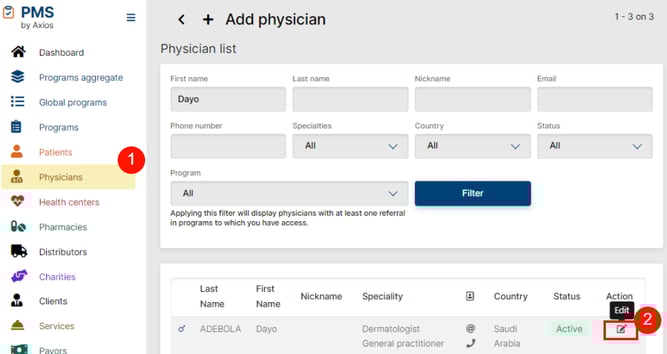
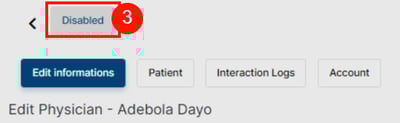
-
Navigate to Physicians
-
View/Edit your Physician
-
Activate it
Viewing all referred Patients by a Physician
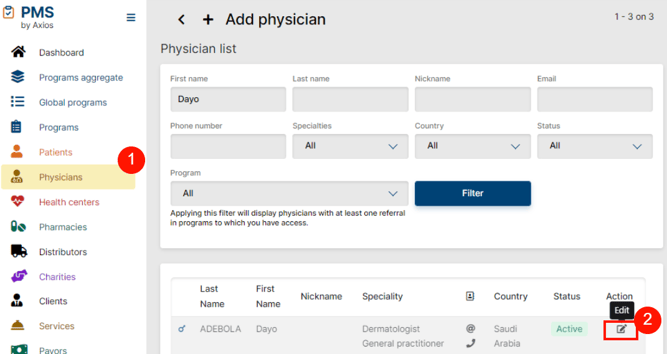
-
Navigate to Physicians
-
View/Edit your Physician
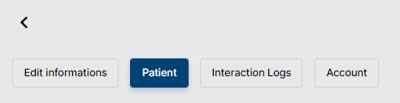
Finally, open the Patient tab
 IMPORTANT
You will only see Patients in Programs to which you have access.
For Physician Accounts and setting up the MyPatients app, please view MyPatients: Introduction and Access
Managing Physician Interaction Logs
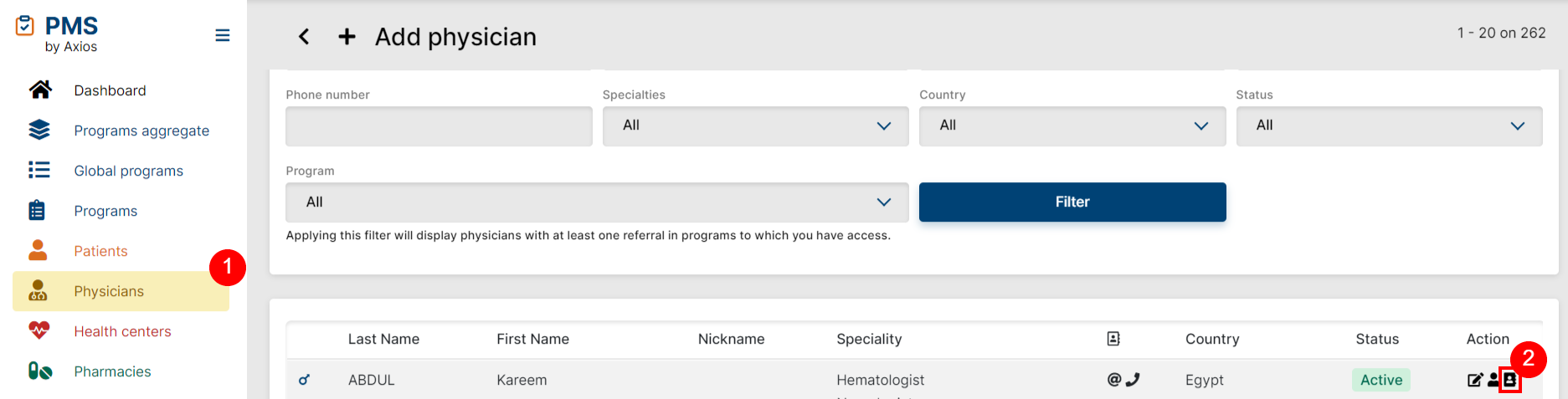
-
Navigate to Physicians
-
View Interaction Log List
From here you can view all Interaction Logs with this Physician as well as the Interaction Logs which have been validated. By clicking the + icon at the top of the page, you can add a new interaction log and if necessary, you can also export the validated interaction logs via the "Download export" button.

 Related Article
To learn more about physician interactions, check the Physician Interactions article.
IMPORTANT
A couple of notes when creating Physician Interaction Logs:
- Physician interactions now must be tagged to a specific Program Aggregate (which is a combination of multiple products under one “umbrella”).
- This means you need to have access to the program aggregate to complete Physician Interactions. Learn more about program aggregates in the Program Aggregate article.
- If you do not have access, please reach out to your manager or PMS Support specifying which program you require access to.
- Also, please note that you must have access to the product to have access to the aggregate.
 Going Further
Learn more about other entities management, such as Pharmacy Management, Distributor Management, Charity Management or Health Center Management.