
Managing Treatment
Patients can manage documents, but also have access to two additional features:
-
Scan QR Code
-
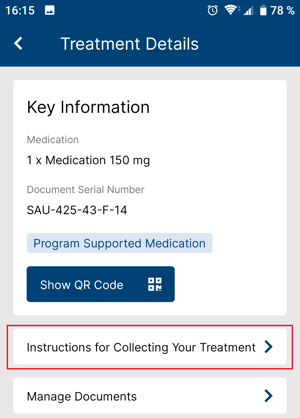
Instructions for Collecting Your Treatment
Additional information about the medication, such as release, and expiration dates are
also visible at the bottom.
Treatment Details
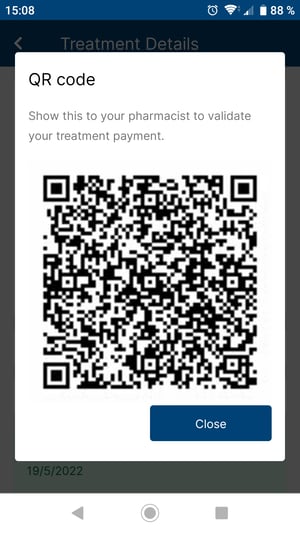
The treatment card acts as a digital Medication Release Letter (MRL). By bringing the phone to the pharmacy, they can show a QR code, which encapsulates the entire MRL. Pharmacists who are using the MyPharmacy application can scan the QR code and validate it on the go.
They also can view specific instructions for collecting their treatment. These instructions are tailored to the program and are entered by Axios in the PMS. They provide information such as documents and conditions for the medication dispensing.
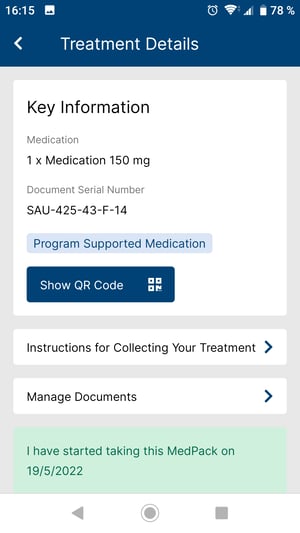
Patients can also self-track their medication intake. Using the “I have started taking this medication”, patients actively participate in their treatment journey by indicting the date at which they start a specific cycle.
Patients can select the date of the day or any date in the past to confirm when they have started the medication. Upon confirmation by the patient, a green banner confirms the patient has entered a date and started to take the medication. The same date is saved in Axios’ database and is used to measure the patient’s compliance to the treatment.
 Related Article
Digital University session recordings are available for more information on MyHealth (Access) & MyHealth (Adherence)
 Going Further
Learn more about the MyHealth application by checking our dedicated articles: